In this guide
Beyond a saved machine setting
Connected welding equipment can combine process settings with instructions and production records. The useful question is whether that helps a real operator complete and document the right task.
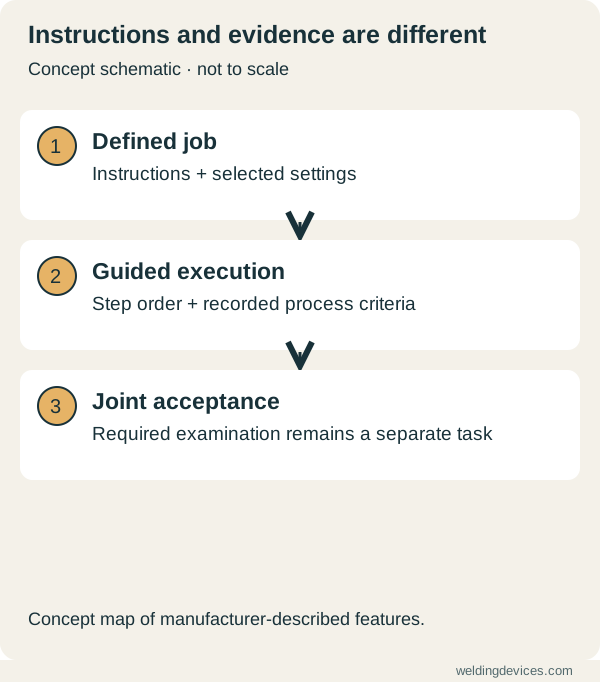
Schematic; source.
One manufacturer example
ESAB describes its Warrior Edge system, paired with OCTOPUZ Steps, as providing step-by-step weld instructions, automatic job settings and validation against defined criteria. Its associated WeldCloud products cover production information, documentation and fleet management. These are manufacturer-described capabilities, not independent test results from Welding Devices.
Define what “validated” means
A completed step or recorded setting is not automatically proof of an acceptable weld. Ask which criteria are checked, what data is captured and what inspection remains necessary. Distinguish process compliance from verification of the finished joint.
Workshop example
Take a small assembly that frequently needs clarification. Write the weld order, required settings, acceptance checks and handover notes on one page. Before buying software, ask whether digitising that instruction would solve the actual problem.
Questions for a supplier
- Which hardware, licences and connections are required?
- What can the operator do if connectivity is lost?
- Can instructions and records be exported?
- Who can change a job and how are changes recorded?
- How does the system fit the existing inspection process?
Connected tools can support a controlled workflow. Their value should be judged against the work, operator experience and evidence required by the organisation.
Map one actual job first
Choose a repeat job with enough detail to expose the useful information. List the part identifier, drawing revision, procedure, operator instructions and inspection requirement. Then ask where those details currently live. A connected system has a clearer purpose when it solves a specific information problem, such as operators receiving an outdated instruction or records becoming detached from the part.
Draw the work sequence from preparation to final review. Identify the point at which each instruction is needed and who confirms it. Keep the map simple enough for an operator to explain. If the process is unclear on paper, putting it on a screen is unlikely to make it clear. First agree the responsibility and information; then evaluate the technology that delivers them.
Separate a record from proof of quality
A machine can record selected operating information without examining every property of the finished joint. Ask which data are captured, how they are associated with the part and what they can demonstrate. A record of current or arc time may be useful, but it is not a substitute for every acceptance check required by the application.
During a trial, compare the digital record with the operator's work sheet and the agreed inspection result. Investigate missing or mismatched entries. Keep measured information distinct from calculated or inferred values. This makes the records easier to trust and prevents a dashboard from encouraging stronger conclusions than its actual inputs support.
Try the exception paths
Ask what happens when the network is unavailable, the wrong part is selected or the instruction changes during a batch. Have the supplier demonstrate the supported response. Does the system clearly stop, use an approved local instruction or record an unresolved event? An ordinary successful demonstration may show none of these situations, even though they matter during real work.
Include a controlled changeover in the trial. Have an authorised person issue an updated instruction and confirm that the correct version reaches the intended work. Check that previous records remain interpretable. A useful system should help the team understand which information governed a particular job, rather than simply replace yesterday's screen with today's values.
Make the operator's task understandable
Observe how many steps an operator needs to select the job, confirm instructions and report a problem. Ask them to explain the screen labels in their own words. A technically rich interface can still slow work if its choices are unclear. Training should address the actual tasks and the circumstances that require review, not just a tour of every menu.
Write short, specific instructions for common exceptions. Identify who is allowed to change settings or job information. Avoid a shared workaround that defeats the intended control. Record feedback from the people using the system; repeated uncertainty about one button is evidence that the workflow needs improvement, rather than proof that everyone needs another generic training presentation.
Review ownership, access and ongoing cost
Ask where production information is stored, who can export it and which permissions govern changes. Confirm supported retention, account management, backups and access when a subscription or service arrangement ends. Use the supplier's documented terms for these questions. Do not assume that data displayed in your workshop remain available indefinitely under every commercial arrangement.
Include subscriptions, integration, administration and training in the total cost. Start with a bounded pilot and a measurable goal, such as reducing missing job records or improving instruction version control. The professional equipment guide helps place that capability within the wider purchase. Connected welding is valuable when the records and instructions reliably support the people doing the work.
Put the choice in context.
Try the welding process finder to narrow your equipment research, or compare a complete setup in the ownership cost calculator.
References
Open the publisher’s page. If a new tab fails, use “Open directly” or copy the address into your browser.
- ESAB — Warrior Edge 500 DX and connected workflow features · sourceOpens the source in a new tabesab.comLink checked · 31 Oct