In this guide
A robot needs a reliable task
Automation moves and controls equipment consistently. It still needs suitable parts, fixtures, a validated welding process and a clear acceptance method. Repeatability is useful only when the repeated task is correct.
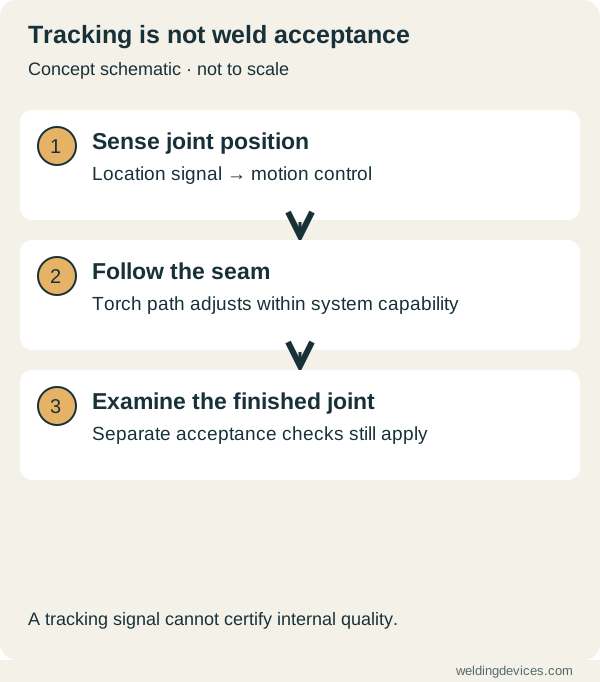
Schematic; source.
What visual sensing contributes
Research on active visual sensing groups applications into seam tracking, weld-defect detection, weld-pool geometry measurement and path planning. These solve different problems. A sensor that follows a seam is not automatically a system that verifies the finished weld.
Separate assistance from acceptance
Ask what the sensor measures, how it is calibrated and what happens when the signal is unreliable. A measured location or surface feature is not a universal proof of internal joint quality. Inspection still needs to match the application.
Workshop example
For a repeated bracket, begin by checking whether its joint position and gap remain consistent in the fixture. Keep a record of variation and rework. This gives an automation supplier a useful starting point and helps distinguish a fixture problem from a welding problem.
Questions for a demonstration
- What happens if the part sits differently or the gap changes?
- Which variations can the system detect and correct?
- Can it reject a part or request an operator check?
- How are results recorded and independently verified?
A collaborative robot arm does not remove the hazards of welding. The complete cell needs an appropriate risk assessment and safeguards.
Describe the variation the sensor must handle
Start with real parts from the fabrication process. Identify whether the issue is changing seam position, variable fit-up, inconsistent tack placement or something else. These are different problems. A sensor intended to locate a joint should not be assumed capable of deciding whether the joint preparation is acceptable. Write down the specific observation you need the system to make.
Use a simple part map with the intended seam, fixture references and known variations. Ask the integrator which variations the proposed arrangement can detect and which still require upstream checks. Include the permitted range and the response when that range is exceeded. That creates a practical acceptance question instead of relying on a general promise that the robot can see the seam.
Distinguish tracking from inspection
Tracking helps the system follow the required path. Inspection addresses whether the resulting work meets an acceptance requirement. The two can share information without being the same task. Ask exactly what each output represents and what evidence supports it. A coloured status indicator may report successful data capture rather than an acceptable weld.
For a demonstration, request both the sensor record and the agreed examination of the sample. Compare their conclusions and note any limitations. Where the application needs qualified inspection, retain that requirement regardless of the robot's display. Keep marketing phrases such as intelligent quality control separate from the documented function until the integrator explains what is actually measured and how it is validated.
Prepare a realistic trial set
Select representative parts, including controlled examples near the permitted variation limits. Have a competent team define what can safely be demonstrated. Do not introduce arbitrary faults into an operating cell without the integrator's plan. The trial should test the agreed use case while respecting the protective arrangements and validated process.
Record setup time, fixture loading, detected variation, operator intervention and the result of each sample. Include what happened when the system could not complete its task. A demonstration that quietly excludes difficult parts can create a misleading estimate of production readiness. The useful question is how the complete workflow handles normal variation and recognised exceptions.
Decide who responds to an exception
Automation needs a clear handover when a part or sensor result falls outside the supported conditions. Specify whether the cell stops, requests review or directs the part to another controlled process. Identify who may make the decision and how it is recorded. Avoid a workflow where an operator bypasses a warning simply to keep the batch moving.
Consider training and maintenance alongside programming. A dirty sensor window, changed fixture or altered part reference can affect the task. Ask which checks are required at startup and after changes. Follow the manufacturer and integrator's maintenance instructions. Consistent daily checks may matter more to the production result than adding another impressive feature to the demonstration.
Evaluate the full cell
Budget for fixtures, guarding, integration, training, extraction, support and inspection as well as the robot and power source. Include the time needed to introduce another product. The economics of a repeatable batch can differ greatly from a workshop constantly changing part geometry. Estimate savings only from representative work and state which assumptions remain untested.
Use the connected workflow guide to consider records and instructions alongside automation. A sensible robotic-welding proposal explains the task, known variation, protective system and exception handling in plain language. Sensors contribute valuable information when their limits are understood. They cannot make poorly defined parts, responsibilities or acceptance requirements disappear.
Put the choice in context.
Try the welding process finder to narrow your equipment research, or compare a complete setup in the ownership cost calculator.
References
Open the publisher’s page. If a new tab fails, use “Open directly” or copy the address into your browser.
- TWI — Automation and control in welding · sourceOpens the source in a new tabtwi-global.comLink checked · 31 Oct
- Wang — Review of active visual sensing for robotic welding, research preprintOpens the source in a new tabarxiv.orgLink checked · 31 Oct